A useful phone setup is not about installing every popular app. It is about creating a workflow where the right tool is available with the least possible friction. In 2026, that can mean combining an Android daily driver with an iPhone used for long-term services, authentication, health tracking and Apple-specific integrations.
This PhonesGate editorial turns the supplied phone-setup transcript into an original guide to the apps, widgets and design decisions that make a two-phone workflow practical. The goal is not to copy one person's home screen exactly. It is to identify the parts worth borrowing.
The two-phone setup explained
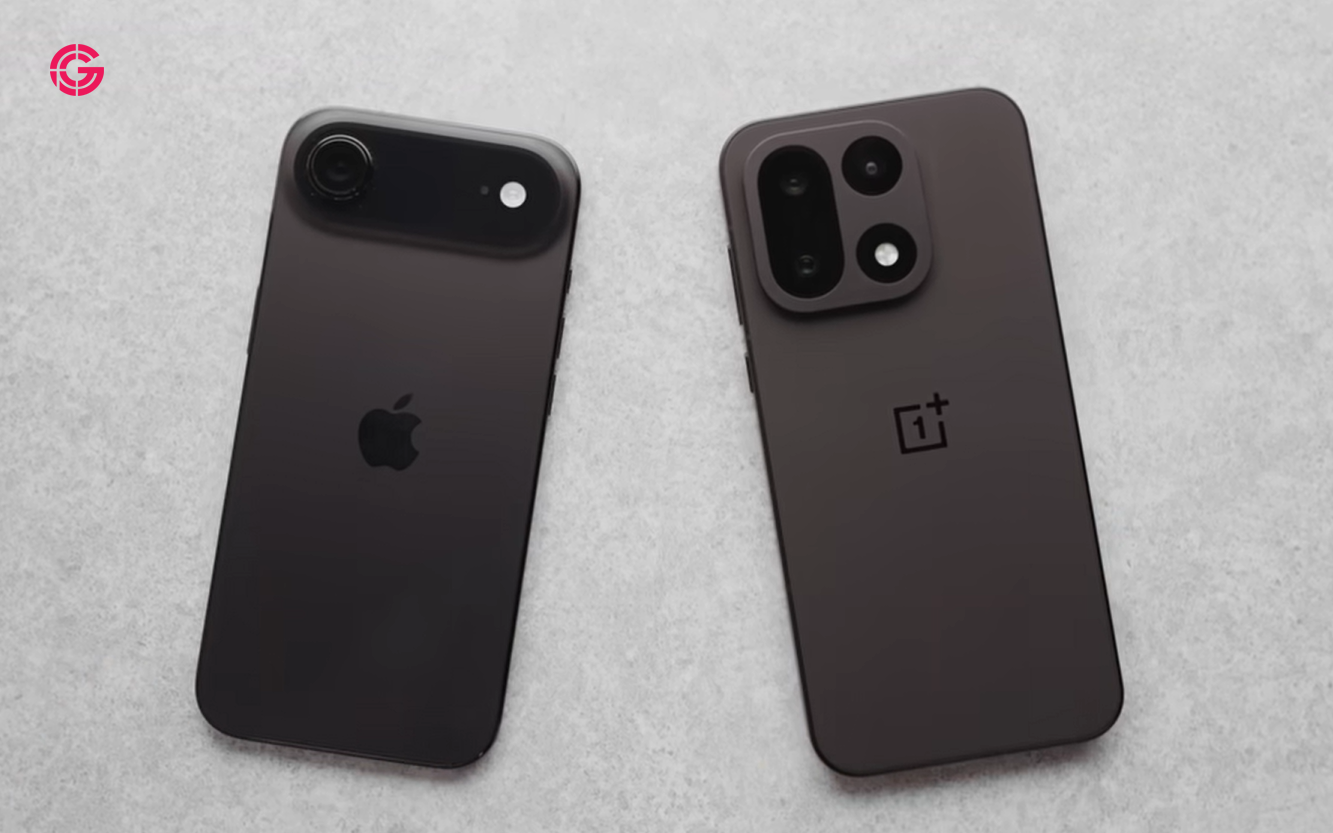
The primary phone is Android. It carries the main number, handles everyday communication and is the device used most often. The secondary iPhone is more stable over time and is better suited to services that are inconvenient to migrate repeatedly.
Key takeaway
A practical 2026 guide to the best Android and iPhone apps for tasks, AI, weather, travel, podcasts, widgets, file sharing, security and productivity.
This division is useful for reviewers, developers and power users who change Android devices often. Authentication apps, health history, travel tools, vehicle keys and long-term accounts can remain on the iPhone while the Android phone changes.
Choosing the Android daily driver
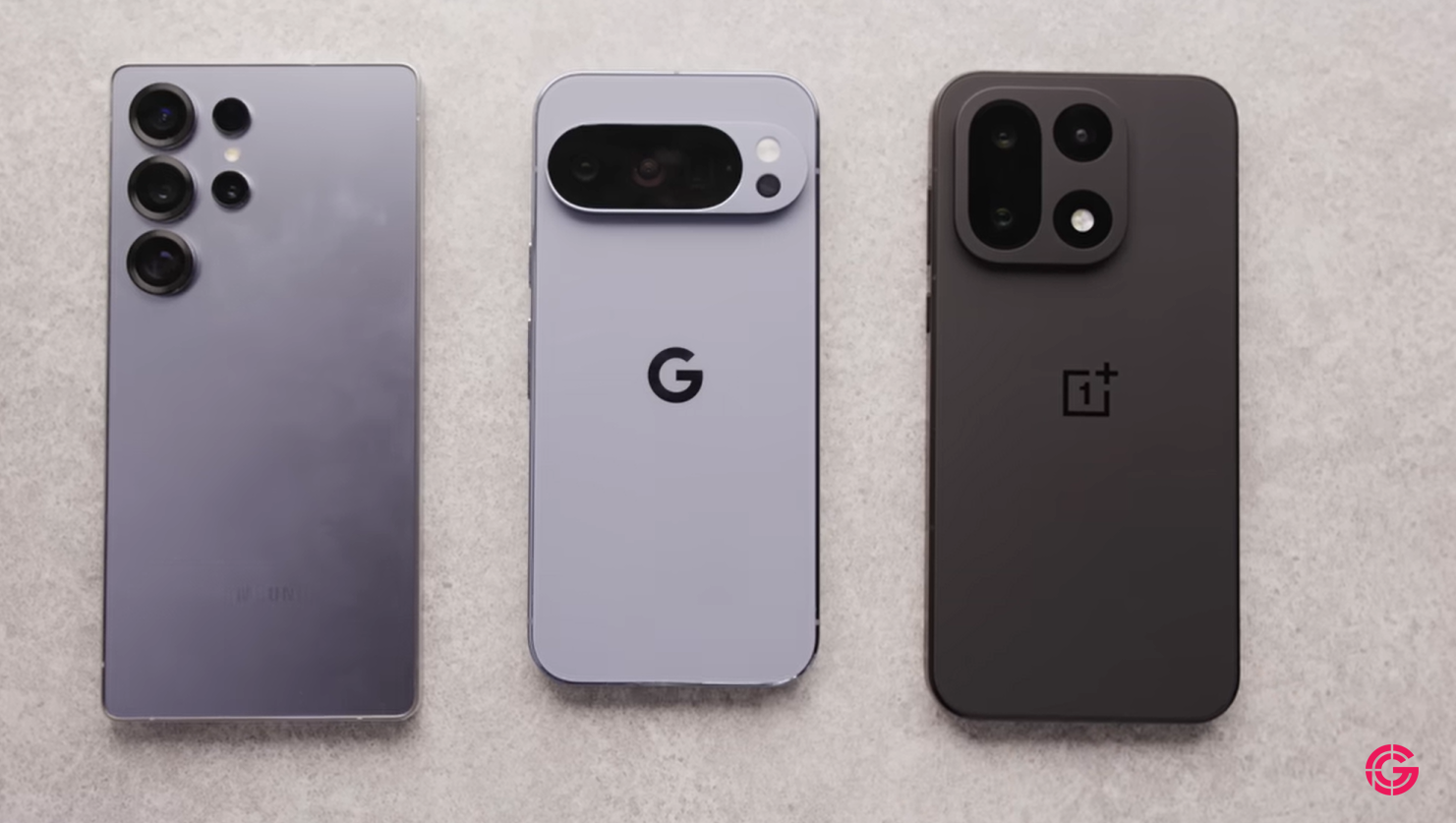
The strongest Android candidates usually come from Samsung, Google and OnePlus. The best daily driver is not automatically the phone with the highest benchmark score. It is the phone that combines dependable battery life, fast performance and software that feels complete without hours of customization.
8 min read
OnePlus coverage from PhonesGate. Published Jul 25, 2026.
A clean Android interface matters because every unnecessary setting adds friction. Good defaults, predictable notifications and stable background behavior can be more valuable than a long feature list.
Why keep an iPhone as the secondary phone?
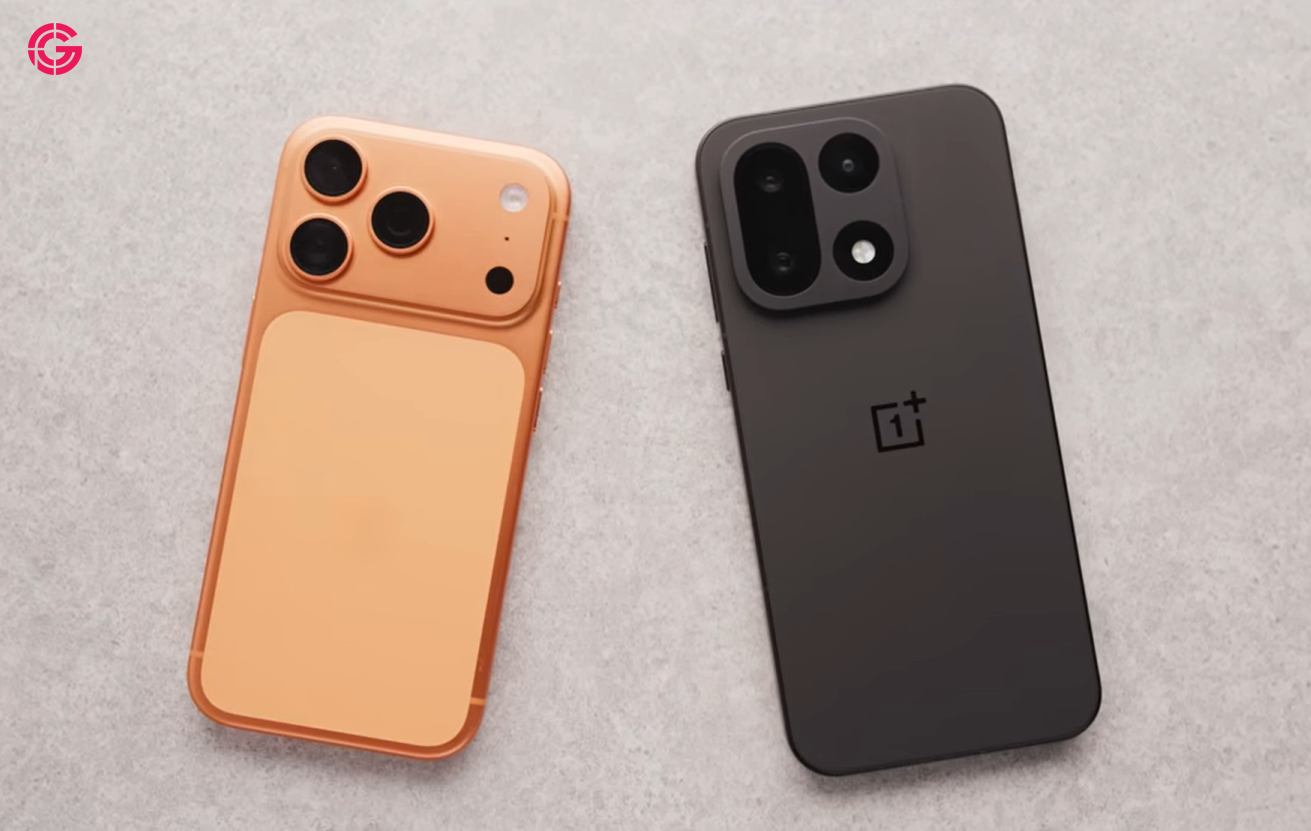
The iPhone handles services that benefit from remaining on one device for months or years. These include authentication, travel history, health data, smart-home access, vehicle-related services and ecosystem-specific applications.
For users who switch phones frequently, keeping these functions on a stable device reduces setup time and lowers the risk of losing access to an important account.
A minimalist lock screen
The Android lock screen uses only two shortcuts: a flashlight and an AI assistant. This is a good design rule. Lock-screen actions should be limited to tools that are genuinely useful before the phone is fully opened.
The home screen is similarly restrained. The dock contains a task manager, music, messaging and the phone app. Even users who rarely make calls may keep the dialer in the dock because it remains a core system function.
The core productivity stack
Category Purpose Recommended behavior Tasks Capture reminders and commitments Use one inbox across both phones Workspace Projects, notes and collaboration Keep notifications focused Calendar Daily planning Use a glanceable widget Notes Shopping lists and quick information Choose a cross-platform service AI Questions, drafting and analysis Use the best assistant for each task
Task management is the center of the workflow
A task manager is the most important app in this setup. The same service works across Android and iPhone, and the iPhone Action button can create a new task immediately. The best workflow is simple: capture first, organize later.
Using one task inbox prevents reminders from being scattered across notes, email, calendar entries and chat messages.
Notion as a shared workspace
A workspace app can organize studio projects, research and team coordination. It does not need to occupy the first home-screen page if most interactions happen through notifications or shared links.
Android widgets remain more interactive
Android's scrollable calendar widgets provide direct access to future days without opening the app. This remains a meaningful advantage over more restricted iPhone widgets.
Interactive widgets reduce app launches and make the home screen a real dashboard instead of a grid of shortcuts.
Navigation, smart home and AI
The second Android page contains navigation, AI chat, smart-home controls, social platforms and a secondary browser.
Using both ChatGPT and Gemini can be reasonable because the services have different strengths. One may be better for long-form reasoning, while the other may integrate more deeply with Google services and the Android system.
Google Home is valuable because it brings cameras, thermostats, speakers and other connected devices into one interface.
Temporary apps should stay temporary
A separate page can hold apps connected to current travel, projects or hobbies. Airline apps, fantasy sports, experimental tools and temporary services do not need permanent placement on the main screen.
This prevents the core layout from becoming cluttered while keeping current tools easy to reach.
Cross-platform bookmarking and file sharing
A bookmarking service such as Raindrop.io is useful for saving articles, product pages, videos and project references across mobile and desktop devices.
Blip addresses another common problem: transferring files between Android, iPhone and computers. Unlike local-only sharing systems, account-based transfer can work even when the devices are not next to each other.
Podcasts deserve a dedicated app
Music and podcasts can live in the same service, but a dedicated podcast player usually provides better queues, playback controls, chapter navigation and subscription management.
Keeping Spotify focused on music while using a separate podcast app creates a cleaner media workflow.
The iPhone home screen
The iPhone layout prioritizes one-handed reachability. Frequently used apps sit lower on the display, while the dock contains persistent communication and utility tools.
The main page combines photos, music, video, navigation, tasks, finance, email and weather. A Smart Stack predicts which apps the user may need next and can reduce manual searching.
CARROT Weather and glanceable information
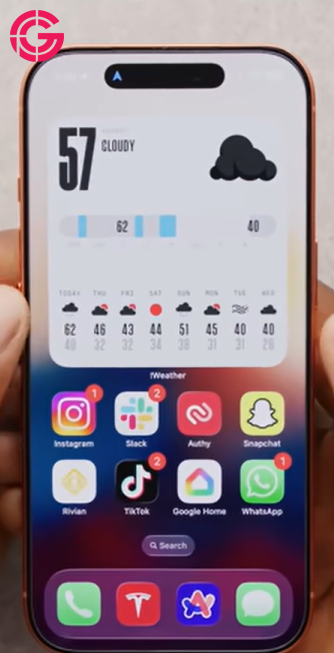
CARROT Weather is used as a modern replacement for the discontinued Dark Sky experience. It offers customizable layouts, multiple data sources, attractive widgets and natural-language summaries.
Weather accuracy depends on the selected provider and location, so users should test several sources rather than assuming one service is universally best.
Finance, email and vehicle widgets
A finance app can categorize transactions, detect subscriptions and show monthly trends. Users should verify bank support and review privacy policies before connecting accounts.
A high-speed email client becomes useful for people processing large inboxes. Vehicle and home-energy widgets can show charging status, range, battery state and solar production without opening each app.
Fitness data without another wearable
Athlytic aggregates Apple Watch and Apple Health data into recovery, exertion and stress estimates. It offers a Whoop-style dashboard without requiring another device on the wrist.
These scores are useful for trends but should not be treated as medical measurements.
Flighty for frequent travel
Flighty is a specialized travel app that can provide flight status, delays, gate changes, aircraft details and travel history. Dedicated flight services may notify users before the airline's own app.
Authentication belongs on the stable device
Two-factor authentication should live on the phone that changes least often. Users should still maintain encrypted backups and recovery codes, because relying on a single device creates unnecessary risk.
Dedicated gaming devices still matter
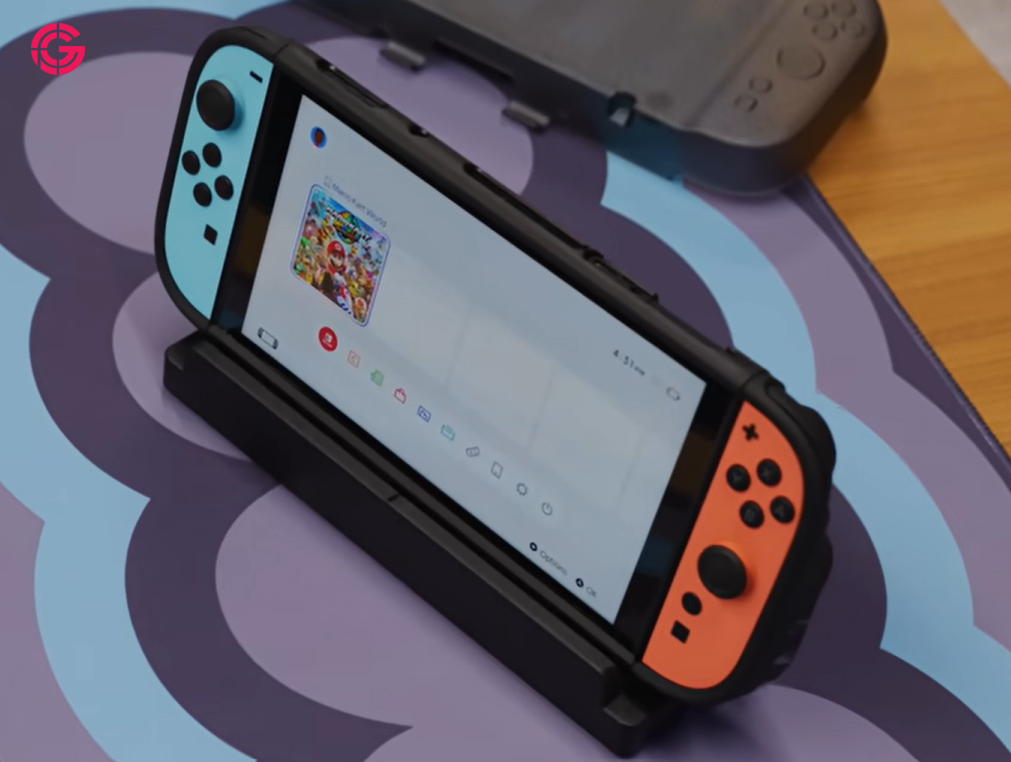
A smartphone does not need to replace every device. Portable consoles provide physical controls, longer gaming sessions and fewer interruptions. Phones remain excellent for short sessions and cloud gaming, but dedicated hardware still has a clear role.
PhonesGate recommended app categories for 2026
- Tasks: one cross-platform task manager.
- Calendar: a widget-friendly calendar with clear daily views.
- AI: one or two assistants with different strengths.
- Weather: a service with configurable data sources.
- Travel: a dedicated flight tracker for frequent flyers.
- Podcasts: a separate player with strong queue controls.
- File sharing: a cross-platform transfer tool.
- Security: an authenticator with secure backup and recovery.
What we would change
The setup could be improved by reducing duplicate browsers and podcast apps after testing is complete. Subscription-based weather, finance, fitness and productivity services should also be audited regularly.
The main screen should contain only tools used every day. Everything else can live on a second page, in the app library or in search.
Frequently asked questions
Why use both Android and iPhone?
Using both provides access to different ecosystems and keeps long-term services separate from the phone that changes frequently.
What is the most important app in this setup?
A reliable cross-platform task manager has the greatest daily impact.
Is a dedicated podcast app better than Spotify?
For heavy podcast listeners, a dedicated app usually provides better episode and queue management.
What should stay on the secondary phone?
Authentication, health data, car keys, travel history and other long-term services are strong candidates.
Are two phones necessary?
No. Most users can apply the same organization principles to a single phone.
PhonesGate take
The best lesson from this setup is not that everyone needs two phones. It is that every app should have a clear job.
Android is used for flexibility, interactive widgets and the main daily workflow. The iPhone provides continuity for services that benefit from staying on one device. Cross-platform tools prevent the two ecosystems from becoming isolated.
PhonesGate verdict
A strong 2026 phone setup should reduce decisions, not create more of them. The dock should contain only essential tools, the task system should be unified, temporary apps should stay off the main page and important accounts should have secure recovery options.
The setup analyzed here succeeds because it is organized around responsibilities rather than brand loyalty. Users can copy the same principle on one phone: choose fewer apps, keep the home screen focused and make every shortcut earn its position.