

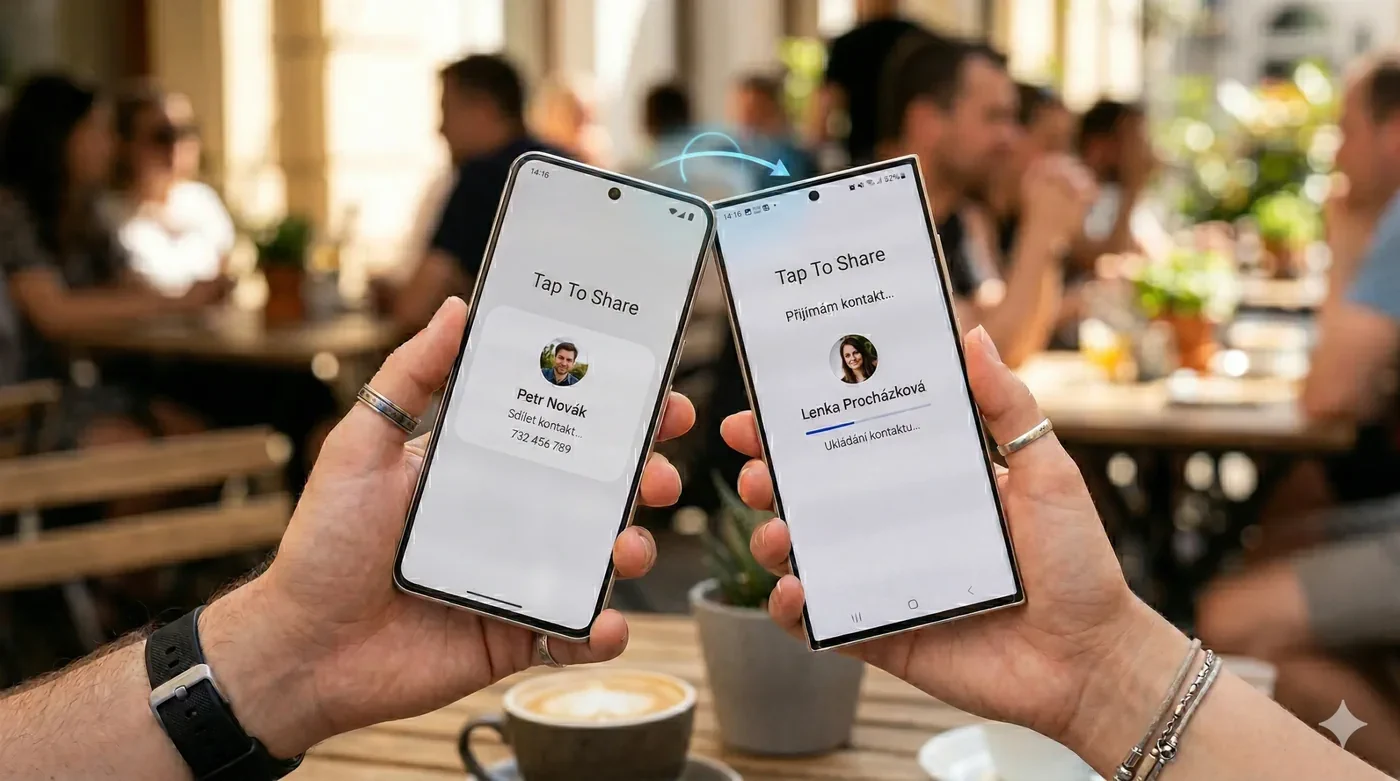
Google is making nearby sharing on Android feel much more immediate with Tap to Share, a new interaction built on top of Quick Share. Instead of opening several menus and manually choosing a nearby device, compatible Android phones can begin the sharing flow by bringing the devices together.
The idea is familiar to anyone who has used proximity-based sharing features before: reduce the number of steps between deciding to share something and actually sending it. For Android, however, the important detail is that Tap to Share is not a replacement for Quick Share. It is a faster way to initiate the existing nearby-sharing experience.
What is Google Tap to Share?
Tap to Share is designed to let two compatible Android phones start a nearby transfer by bringing the devices together. Photos, videos, links, contact details and other shareable content can then move through Google's Quick Share workflow.
Key takeaway
Google Tap to Share adds an AirDrop-style proximity gesture to Android Quick Share, letting compatible phones begin nearby transfers by bringing the devices together.
That distinction matters. Quick Share remains the underlying sharing platform, while Tap to Share acts more like a shortcut into it. Users can still use the traditional Android Share Sheet and Quick Share interface when that is more convenient.
The practical benefit is speed. If the person receiving a photo is standing next to you, physically bringing the phones together can be more intuitive than opening the Share Sheet, selecting Quick Share, waiting for nearby devices to appear and then identifying the correct recipient.
5 min read
Google coverage from PhonesGate. Published Aug 19, 2026.
NFC helps the phones recognize the interaction
The proximity gesture relies on NFC being enabled on both devices. Because NFC operates at very short range, antenna position becomes important. Users may need to bring the upper sections of the phones together, overlap them or place them back-to-back depending on the hardware design.
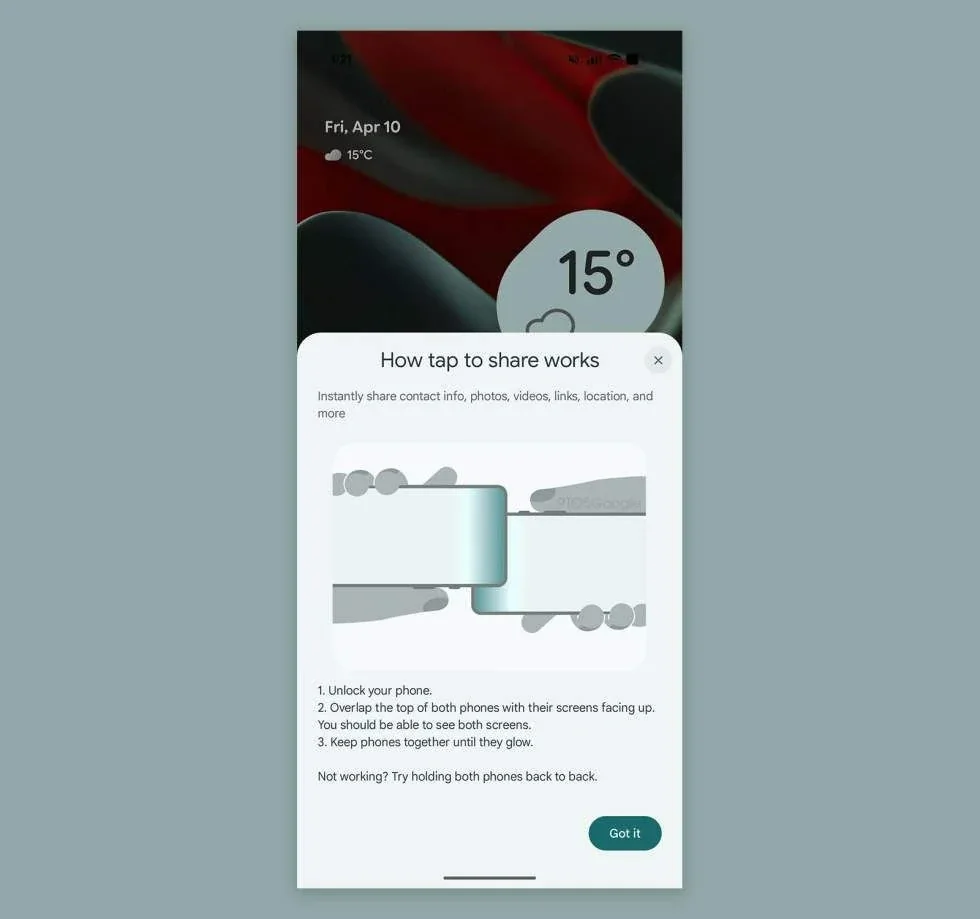
Cases can also affect detection, particularly if they are unusually thick or contain materials that interfere with the NFC area. If Tap to Share does not trigger immediately, adjusting the position of the two devices is a better first step than assuming the feature is broken.
Tap to Share does not make Quick Share obsolete
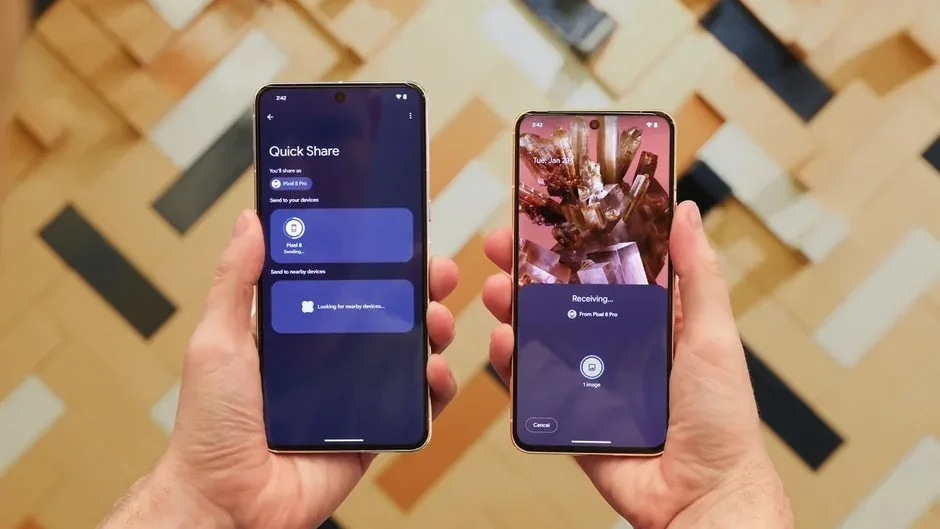
Quick Share already gives Android users several ways to move content between nearby devices. Tap to Share simply removes some friction when the recipient is physically close. That means the conventional Quick Share interface remains useful for sending to a laptop, choosing between multiple nearby devices or sharing without touching two phones together.
This is a sensible approach from Google because it adds a new interaction without forcing Android users to relearn the existing system. The feature can feel new while remaining compatible with the broader Quick Share model.
Why the AirDrop comparison makes sense — and where it doesn't
Calling Tap to Share an AirDrop-style feature is useful shorthand because both experiences are trying to solve the same problem: quickly sending something to a nearby person without messaging it to yourself, uploading it to the cloud or manually creating a transfer link.
But the comparison should not be taken to mean that Google has simply copied Apple's implementation. Android's feature is being integrated into Quick Share and uses its own discovery, device and platform logic. The more important development is that both major smartphone ecosystems increasingly treat frictionless local sharing as a basic platform capability.
Which Android phones get Tap to Share?
The initial rollout described for the feature focuses on recent Pixel devices running Android 17, with wider Android availability expected to expand afterward. Samsung's newest foldable generation is also expected to be among the early non-Pixel devices to support the experience.
Availability can depend on software version, regional rollout and hardware support, so owners should not assume that every Android 17 device receives the feature on exactly the same day. Google can also update components of the sharing experience through system services rather than relying exclusively on major Android releases.
Pixel 11 shows why NFC placement matters
New phone designs can make proximity features easier by considering NFC antenna placement during hardware development. When the antenna sits in an intuitive part of the device, users spend less time searching for the correct contact point when using Tap to Share or contactless services.
This is a small hardware detail, but it illustrates a broader trend: features that appear to be purely software-driven often work best when the physical device has been designed around them.
Is Tap to Share actually useful?
For one-off transfers, the difference between tapping two phones and selecting a recipient from Quick Share may only save a few seconds. The value becomes clearer when sharing is frequent: exchanging several photos after a trip, sending a link during a conversation, transferring a contact or quickly handing a video to someone standing beside you.
The feature also lowers the learning curve. A physical gesture can be easier to explain than a sequence of menus, particularly for users who do not already know where Quick Share is located.
Privacy still matters
Convenience should not mean accepting unexpected transfers. Nearby-sharing systems need clear confirmation and visibility over who is sending content. Users should keep their Quick Share visibility configured appropriately and review transfer prompts before accepting files from an unfamiliar device.
Tap to Share changes how a transfer is initiated; it should not be treated as permission for another person to silently push arbitrary content onto a phone.
PhonesGate take
Tap to Share is a small feature with the potential to make Android feel noticeably more polished. Google does not need to replace Quick Share to improve nearby transfers. It only needs to remove the moments of friction that make users reach for messaging apps instead.
The bigger story is the direction of Android itself. Features such as Tap to Share show Google paying more attention to interactions that connect hardware, proximity and software into one predictable action. That kind of ecosystem polish has historically been one of Apple's strongest advantages.
If Google can roll the feature out consistently across Pixel, Samsung and other major Android brands, Tap to Share could become one of those functions users stop thinking about entirely—which is usually the sign that a convenience feature is working exactly as intended.