
Source/context
What Cine LUT is and how it fits with APV and Log capture
The Galaxy S26 series pairs an Advanced Professional Video (APV) codec with a new Cinematic Look-Up Table (Cine LUT) system to bring cinema-style color to mobile footage. The APV codec delivers a visually lossless base for video capture, while Cine LUT focuses on transforming Log footage into finished-looking images by mapping captured color and tone to predefined cinematic palettes. Unlike simple overlay filters, Cine LUT is designed to reinterpret the broad gradation of Log video to preserve subtle tonal detail and depth.
How the feature was developed
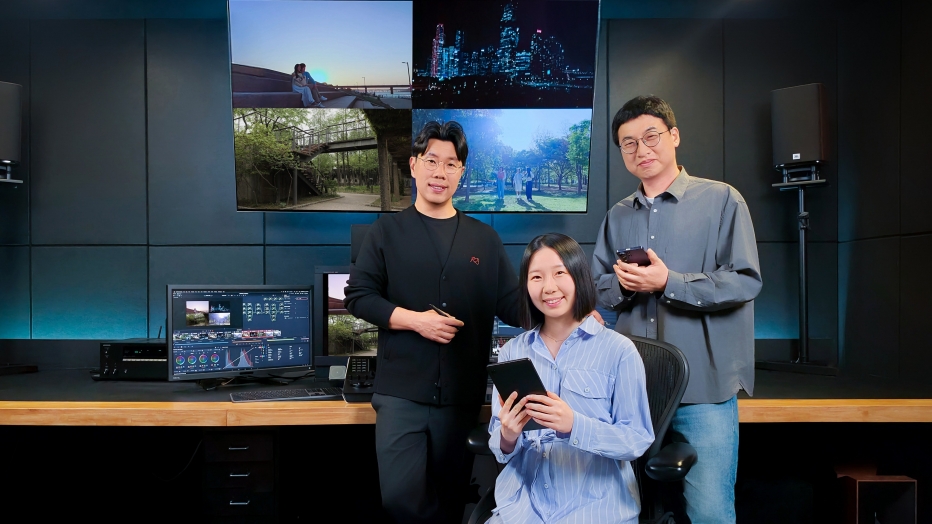
Development combined internal camera engineering, core video processing research, and colorist expertise from a professional studio. Engineering teams handled the camera and final implementation, research teams optimized the video processing pipeline for Log content, and the color studio provided artistic direction to create looks that translate across real-world shooting conditions. The teams tested multiple versions at different intensity levels — neutral, soft and strong — and iterated until technical performance and creative intent aligned.
Key takeaway
A new Cinematic Look-Up Table (Cine LUT) feature for the Galaxy S26 series makes professional color grading accessible on-device, building on the Advanced Professional Video (APV) codec and Log capture.
![[Interview] Make Every Moment Cinematic: How Cinematic LUT Transforms Video on the Galaxy S26 Series](https://img.global.news.samsung.com/global/wp-content/uploads/2026/05/06141114/Samsung-Mobile-Interview-Cinematic-LUT-Galaxy-S26-Series_Main-1.jpg)
Four curated cinematic styles
The feature ships with four core styles created after analyzing the visual language of popular film genres. The palettes are described as Blockbuster (high-contrast), Coming-of-age (soft, fresh), Romance (warm, character-driven) and Thriller (moody, striking). The development process emphasized consistent, natural results despite the lighting, exposure and white-balance variability typical of mobile shooting.
Design challenges and technical approach
Achieving consistent color across diverse environments was a central challenge. The teams focused on looks that maintain natural rendering when applied to Log footage, reconstructing color and brightness to preserve midtones and subtle variations that conventional filters can lose. Validation used a mix of qualitative creative direction and quantitative testing to ensure the LUTs perform reliably in different scenes and intensities.
4 min read
Galaxy coverage from PhonesGATE. Published Jun 11, 2026.
![[Interview] Make Every Moment Cinematic: How Cinematic LUT Transforms Video on the Galaxy S26 Series](https://img.global.news.samsung.com/global/wp-content/uploads/2026/05/06142224/Samsung-Mobile-Interview-Cinematic-LUT-Galaxy-S26-Series_Main-3.jpg)
Practical guidance on when to use each LUT
There is no single correct LUT for every scene; intended use depends on subject and environment. Blockbuster is suited to high-contrast outdoor and urban scenes, Coming-of-age fits softer, trendier environments such as cafes or vlogs, Romance enhances warm, character-driven moments, and Thriller creates a more dramatic, moody impression. Users can preview LUTs while shooting in Log and apply them later during editing.
Creative validation and real-world examples
To demonstrate the system, a commercial and documentary director shot short films on the Galaxy S26 Ultra using APV and Samsung Log to showcase Cine LUT. The project included making-of material and short films that illustrate how the LUTs change the look and feel of footage across genres and environments.
PhonesGATE quick analysis
The combination of a visually lossless APV codec and Cine LUT aims to lower the barrier to cinematic-looking mobile video. By leveraging Log capture and tuned LUTs, the workflow separates capture fidelity from aesthetic finishing: APV preserves detail through editing, and Cine LUT provides ready-made color directions that avoid the trial-and-error of manual grading. For creators who want a specific mood without deep color-grading expertise, this approach reduces postproduction complexity while retaining flexibility through intensity options and Log-based editing.
What this means for buyers
For users interested in mobile filmmaking or polished social content, Cine LUT offers an accessible path to stylized results without requiring external software or specialist knowledge. The ability to preview LUTs during capture and apply them to Log footage during editing makes experimentation straightforward. Buyers should note that the system is built around Log workflows and benefits most when footage is captured with that wider dynamic and color latitude; for casual users who shoot only in automatic profiles, the visual impact will be different.
![[Interview] Make Every Moment Cinematic: How Cinematic LUT Transforms Video on the Galaxy S26 Series](https://img.global.news.samsung.com/global/wp-content/uploads/2026/05/06155110/Samsung-Mobile-Interview-Cinematic-LUT-Galaxy-S26-Series_Main-2.jpg)
Related devices and internal links
Creators exploring mobile video tools may also want to compare the Galaxy S26 Ultra's APV and Cine LUT workflow with other devices offering Log capture or on-device cinematic presets. Look for comparisons with flagship devices known for professional capture features to evaluate differences in codec handling, dynamic range and in-app grading options.
Sources and methodology
This article is based on reporting from Samsung Global Newsroom, with PhonesGATE editorial context and buyer-focused analysis.