

Android 17 is not trying to reinvent the operating system. Instead, it focuses on practical refinements: better Quick Settings, more flexible multitasking, improved tools for foldables and creators, and a cleaner interface that removes friction from everyday use.
That may sound less dramatic than the major redesigns of earlier Android generations, but mature platforms rarely need to change everything at once. The most useful updates often come from fixing unnecessary steps, making common controls easier to reach and adapting the software to new device categories.
This PhonesGate editorial examines the five most useful Android 17 features presented in the current preview material. Availability may vary by device, manufacturer, region and release channel, and some details may change before the stable rollout.
Key takeaway
PhonesGate explains the five most useful Android 17 features, including separate Wi-Fi controls, bubble multitasking, foldable gaming, selfie screen recording and interface improvements.
Android 17 at a glance
Feature Main benefit Best for Separate Wi-Fi and mobile data controls Faster connectivity management Everyone Expanded bubble multitasking Floating app workflows Power users Foldable game mode Dedicated lower-screen controls Foldable owners Selfie screen recording Built-in creator tools Creators and educators Interface refinements Cleaner visuals and fewer steps Users who value polish
Why Android updates feel smaller now
Android has reached a level of maturity where its main foundations are already established. Notifications, permissions, gestures, theming, background controls and multitasking have evolved over many years. A modern release therefore has a different job: improve consistency, support new hardware formats and remove friction without forcing users to relearn the system.
10 min read
Google coverage from PhonesGATE. Published Jul 22, 2026.
This is why Android 17 can feel familiar while still being meaningful. Its value is spread across many smaller improvements rather than concentrated in one dramatic redesign.
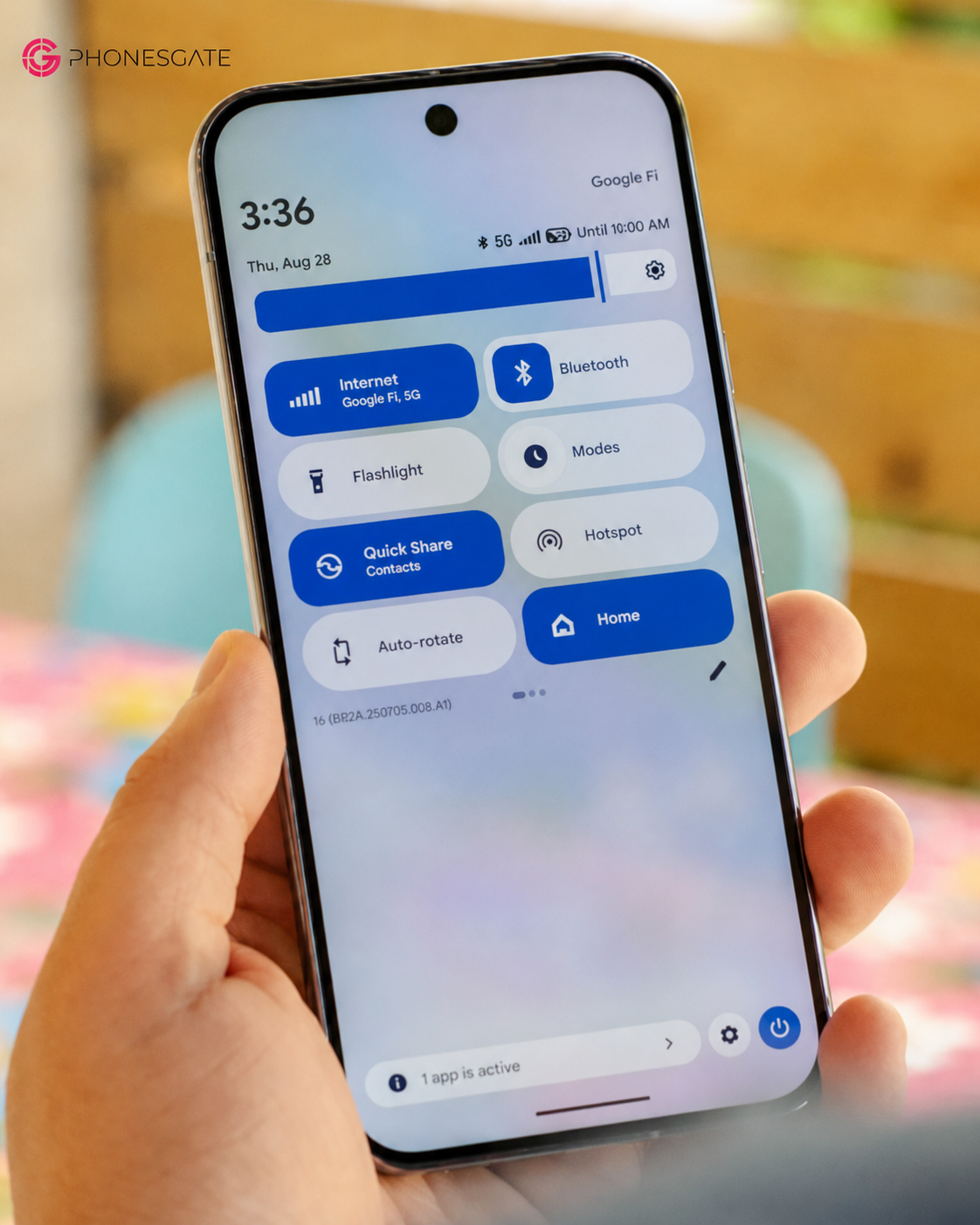
1. Separate Wi-Fi and mobile data toggles return
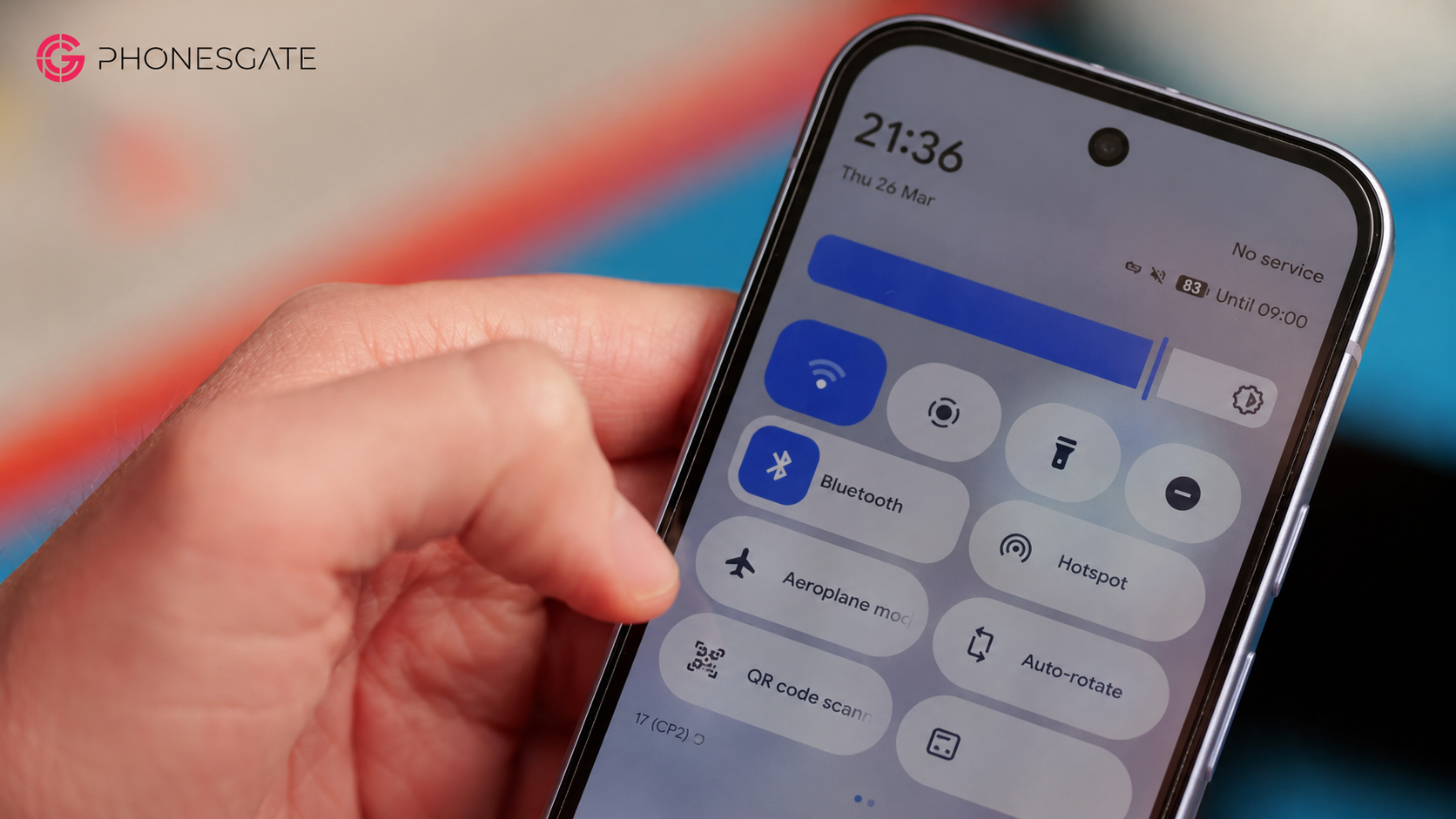
The most immediately useful Android 17 change may also be the simplest: Wi-Fi and mobile data can once again appear as separate Quick Settings controls.
Earlier Android versions grouped both functions inside a broader Internet panel. The goal was to centralize connectivity, but the result added taps to actions users perform frequently. Turning Wi-Fi or mobile data off could require opening the Internet panel first and then selecting the relevant control.
Android 17 restores direct access. Users can tap the icon to switch a connection on or off, while tapping the label opens the expanded network menu.
Why this matters
Quick Settings exists for actions that need to be fast. Connectivity should behave like the flashlight, Bluetooth or airplane mode: one tap for the immediate action and an optional deeper panel for configuration.
This change shows that usability can improve through subtraction. Android 17 removes an unnecessary intermediate step instead of adding another layer.
2. Bubble multitasking becomes more useful
Floating bubbles have existed in Android for messaging, but Android 17 expands the idea into a broader multitasking system. Applications can open in floating windows and minimize into bubbles, creating a small hub above the current app.
Possible workflows include taking notes over a video, checking a calculator while editing a document, replying to messages without leaving a game, or keeping a map available while using another application.
Why bubbles work better on larger screens
Modern flagships, foldables and tablets provide enough space for layered interaction. A full split-screen layout can be excessive for a secondary task needed only briefly. A bubble keeps that app available without permanently dividing the screen.
The challenge will be avoiding clutter. Android 17 needs easy controls for moving, dismissing and limiting bubbles so they remain helpful rather than intrusive.
3. Foldables get a dedicated game mode
Android 17 introduces a gaming concept designed for foldables: the upper half of the display can show the game while the lower half acts as an on-screen controller.
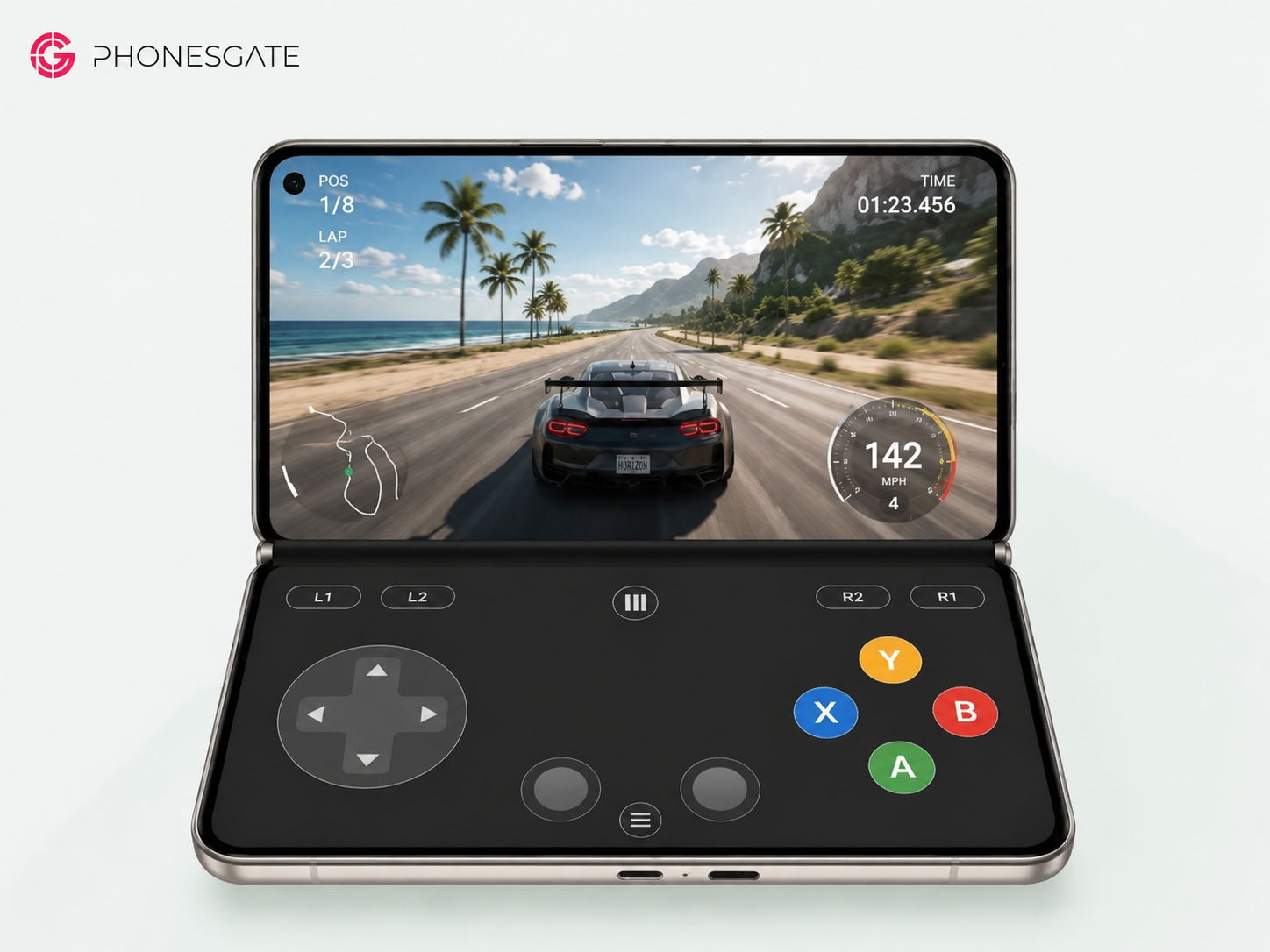
This layout separates input from content. Traditional mobile games place controls over the image, reducing visibility and causing the player's fingers to cover parts of the action. A foldable can dedicate one screen area to viewing and the other to controls.
Compatibility will determine its value
The idea is promising, but games must map controls correctly, adapt to unusual aspect ratios and maintain performance in a partially folded position. Generic layouts may work for simple titles, while complex games will need custom control schemes.
Thermals and battery life will also matter. Android can improve the interface, but hardware efficiency will determine whether long sessions remain comfortable.
4. Screen recording gains a selfie-camera overlay
Android 17 expands the built-in recorder with a selfie-camera option. Users can record the screen while placing a movable and resizable live camera cutout over the content.
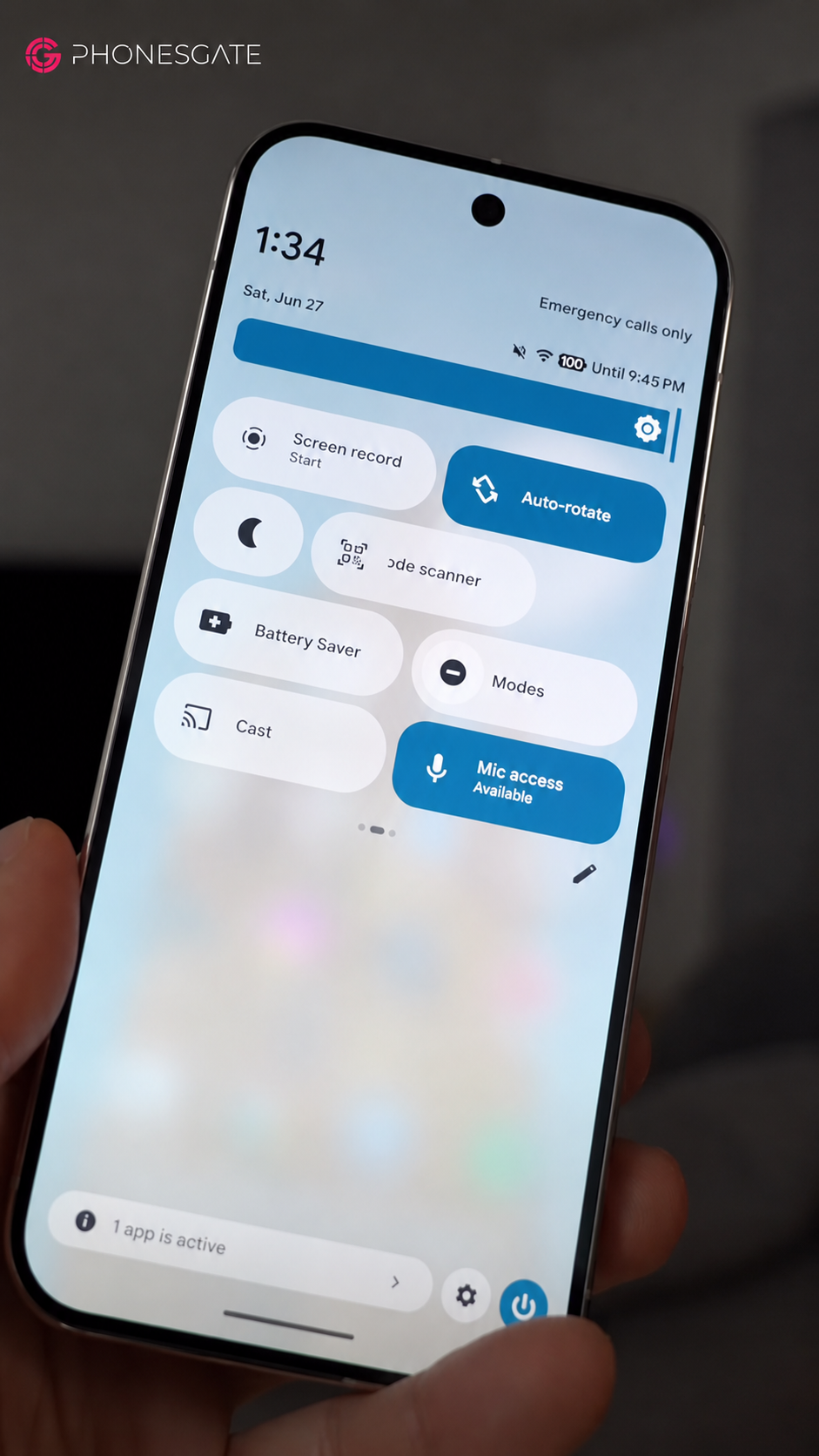
The feature has obvious value for short-form video, but it is also useful for tutorials, technical support, education, accessibility demonstrations and product walkthroughs.
Previously, users often needed a third-party app or an editing workflow to combine screen capture and the front camera. Building it into Android reduces setup time and avoids granting extra permissions to external tools.
Privacy still matters
The recorder should clearly show when capture is active and offer controls for hiding sensitive notifications, passwords and private information. Screen recordings can expose more data than users expect.
5. Android 17 improves interface polish and customization
The fifth feature is a collection of visual and behavioral refinements spread across the system.
App labels can be hidden
Users can create a cleaner home screen by hiding application labels in the stock launcher. The setting remains optional, which is important because labels improve accessibility and reduce ambiguity.
Settings use space more efficiently
Some deeper settings pages reduce excessive spacing between options. This allows more information to appear without making the layout feel crowded.
Transparency becomes more consistent
Transparent surfaces expand to more system areas, including the widget picker. Wallpaper colors can remain visible behind panels, creating a more integrated look without turning the whole interface into heavy glass effects.
Dark mode becomes more selective
Users can control which applications should open with an expanded dark treatment. This is useful because forced dark mode can create unreadable text or incorrect colors in apps not designed for it.
Small interactions feel more considered
The empty notification state becomes more positive, animations receive additional polish and the permanent home-screen search element gains more direct customization options. None of these changes is transformative alone, but together they make the system feel more deliberate.
The Android 17 Easter egg continues the tradition
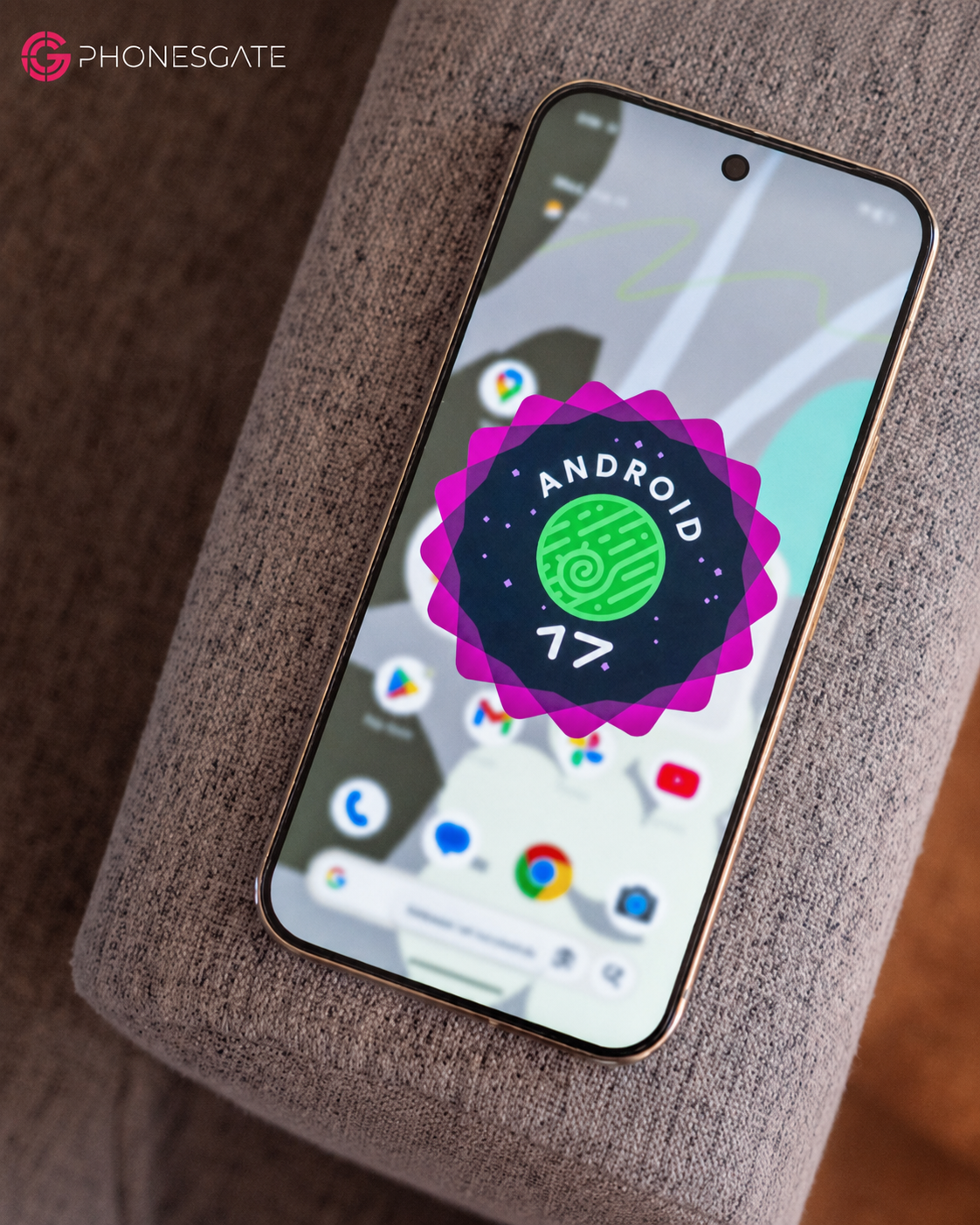
Android 17 includes a constellation-style puzzle reached through the familiar version-number tapping sequence. Connecting the points reveals the Android 17 symbol and opens a space-themed mini-game.
The Easter egg does not affect productivity, but it preserves the playful culture associated with older Android releases.
About the Cinnamon Bun codename
The preview material refers to Cinnamon Bun as Android 17's internal dessert codename. Android used public dessert names in earlier years, but later versions switched to numbers for consumer branding while internal codenames continued.
Cinnamon Bun should therefore be treated as an internal reference unless Google officially restores public dessert branding.
More features may arrive later
Android development continues beyond the first preview. Additional functionality may appear through later beta builds, platform updates, Google Play system updates and app-level releases.
Discussed future ideas include natural-language widget creation, improved speech-to-text tools, Digital Wellbeing controls and deeper AI assistance.
Natural-language widgets
Creating a widget by describing what it should show could make home-screen customization more accessible. A user might request a calendar summary, weather panel or task view in plain language instead of configuring every element manually.
Such features will need clear privacy controls because widgets may combine information from several apps.
Will Android 17 improve performance or battery life?
The current material describes smaller performance refinements rather than a major speed overhaul. Users should not expect the version number alone to transform older hardware.
Performance and battery life depend on the processor, memory, manufacturer tuning, background applications, storage condition, display behavior and thermal design. Android 17 may improve responsiveness and efficiency, but results will vary by device.
Early preview builds should not be used to judge final battery life because unfinished software may include debugging tools and unoptimized components.
Pixel users will likely receive the cleanest version first
Google's own phones usually receive the most direct implementation of new Android platform features. Other manufacturers may adopt the same functions later, change their appearance or replace them with existing proprietary alternatives.
This means Android 17 will not look identical on every phone. Samsung, Xiaomi, OnePlus, Oppo and others use their own interfaces and release schedules.
Should you upgrade?
For supported devices, Android 17 should be worthwhile once the stable version has been tested. The update improves daily usability without requiring users to relearn the operating system.
Most users should avoid installing early previews on a primary phone. Beta software can cause application compatibility problems, battery drain, camera instability, connectivity issues or problems with banking and security apps.
PhonesGate ranking
Rank Feature Assessment 1 Separate Wi-Fi and mobile data controls The most useful everyday change because it removes unnecessary steps. 2 Expanded bubble multitasking A strong productivity feature, especially on large screens. 3 Foldable game mode An innovative use of dual-screen layouts, with compatibility as the main question.
4 Selfie screen recording A practical creator and support tool. 5 Interface refinements Collectively important even without one dramatic redesign.
PhonesGate take: Android 17 is about removing friction
The central theme of Android 17 is correction and refinement. Separate connectivity controls fix an interaction that became unnecessarily complicated. Bubble multitasking expands an existing idea. Foldable game controls adapt Android to hardware that traditional phone interfaces were not designed for. Screen recording becomes more complete, while visual changes improve consistency.
Mature software should not change simply to look new. It should change when the result is faster, clearer, safer or more flexible.
Frequently asked questions
Is Android 17 a major redesign?
No. It is primarily a refinement release with usability, multitasking and interface improvements.
Does Android 17 separate Wi-Fi and mobile data toggles?
Yes, the preview shows separate Quick Settings controls for faster access.
What is the Android 17 bubble bar?
It is an expanded multitasking system that keeps several apps available as floating bubbles.
Does Android 17 improve foldable gaming?
The preview includes a layout where the upper display shows the game and the lower display becomes a touch controller.
Can Android 17 record the selfie camera and screen together?
The built-in recorder is expected to support a movable selfie-camera overlay.
What is Android 17's dessert codename?
The preview material refers to Cinnamon Bun as the internal codename.
Should users install the beta?
Most users should wait for the stable release because preview software may contain compatibility and reliability problems.
PhonesGate verdict
Android 17 does not appear revolutionary, and that is not necessarily a weakness. Its most valuable changes focus on interactions users perform every day.
The return of separate Wi-Fi and mobile data tiles is a clear improvement. Expanded bubbles offer flexible multitasking. Foldable gaming shows that Android is learning to use new hardware formats more creatively. The selfie-overlay recorder adds a practical tool for creators and educators.
The wider collection of interface changes also matters. Cleaner spacing, optional labels, more consistent transparency, selective dark mode and improved animations can make the operating system feel more complete.
PhonesGate views Android 17 as a refinement release with a clear purpose: reduce friction, support larger and foldable screens, and make existing features easier to use.